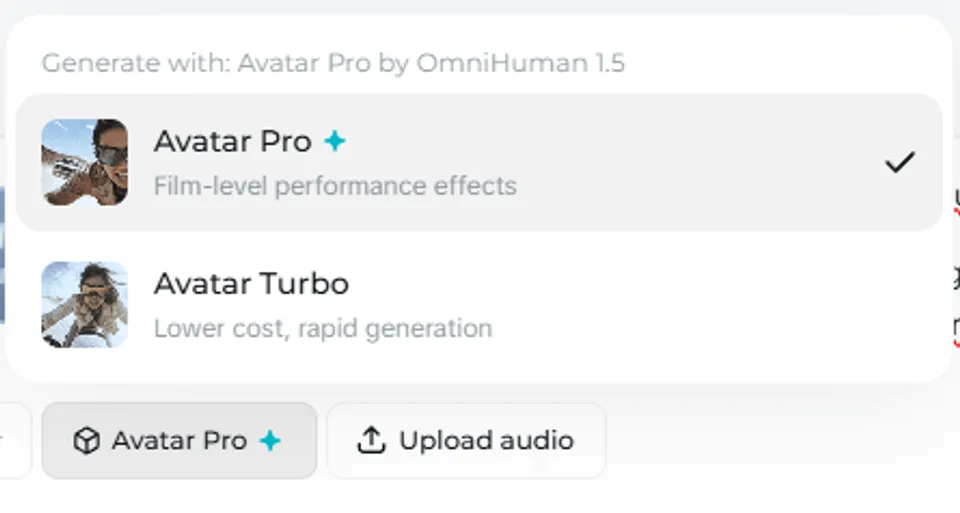
Upload a photo, write what they should say, and get a video of that person speaking with accurate lip-sync, natural expressions, and emotional body language. Seedance 2.0 has fundamentally changed what's possible with AI avatars—generating not just moving lips, but nuanced performances with multiple characters, real emotions, and native audio in 8+ languages.
What Makes Seedance 2.0 Avatars Different
Previous AI avatar tools (including Seedance 1.0's approach) were essentially "face animation" systems—they moved lips and maybe shifted eyes. Seedance 2.0's avatar capabilities are built on its full video generation engine, which means:
- Full body movement — Characters gesture, lean, turn, and interact physically—not just talking heads
- Native audio — Voice is generated simultaneously with video, not overlaid in post
- Emotional performance — Whispers, screams, sobs, laughter, fear—the model understands and renders emotional states
- Multi-character dialogue — Two or more characters can converse in the same generation
- 8+ language lip-sync — English, Chinese, Japanese, Korean, Spanish, French, German, Portuguese, and more
- Character consistency — The person matches your reference photo throughout the entire clip
How to Create an AI Avatar Video
Important: Avatar Pro mode is only available on paid Dreamina plans. The standard Lip Sync tool is available on all tiers, but for the full Seedance 2.0 generation engine (full-body movement, multi-character, native audio), you'll need a subscription.
Method 1: Reference Image + Dialogue Prompt
The most common approach for single-character avatar content:
- Open Dreamina → Video Generation → Seedance 2.0
- Select All-Round Reference mode
- Upload your person's photo
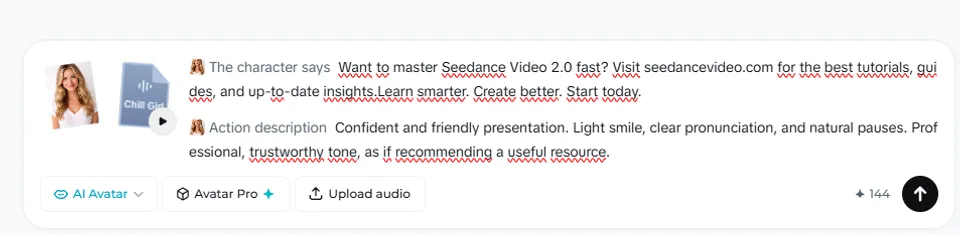
- Write a prompt that includes the dialogue in quotes
- Set duration and aspect ratio, then generate
Example prompt: "@Image1 is talking to camera in a modern office. She says: 'Our new platform makes it easy to manage your entire workflow in one place. Let me show you how it works.' Professional lighting, medium close-up, steady camera."
Method 2: Multi-Character Dialogue
Upload photos of each character and assign dialogue to each:
Example prompt: "@Image1 is the guy. @Image2 is the girl. Dimly lit room, boarded up windows. The girl whispers, voice trembling: 'They're right outside.' The guy grips her hand, subtle fear in eyes: 'We just have to stay quiet. Don't move.'"
Seedance generates both characters with distinct voices, accurate lip-sync, and appropriate emotional expressions—fear, tension, and protective instinct all rendered naturally.
Method 3: Expression Transfer
Upload a video of someone performing expressions alongside a character image. Seedance maps the facial performance from the video onto your character, maintaining the character's visual identity while transferring the emotional performance. This is ideal for giving animated or stylized characters realistic expressions.
Language and Voice Capabilities
| Feature | Details |
|---|---|
| Supported Languages | English, Chinese, Japanese, Korean, Spanish, French, German, Portuguese (8+ and expanding) |
| Lip-Sync Accuracy | Phonetically accurate—lip shapes match spoken syllables |
| Language Detection | Can detect appropriate language from character appearance and context |
| Multi-Language in One Video | Yes—different characters can speak different languages in the same clip |
| Voice Control | Generated automatically to match character appearance; can be influenced by prompt context |
| Known Characters | Recognizes and can replicate voices of well-known animated characters |
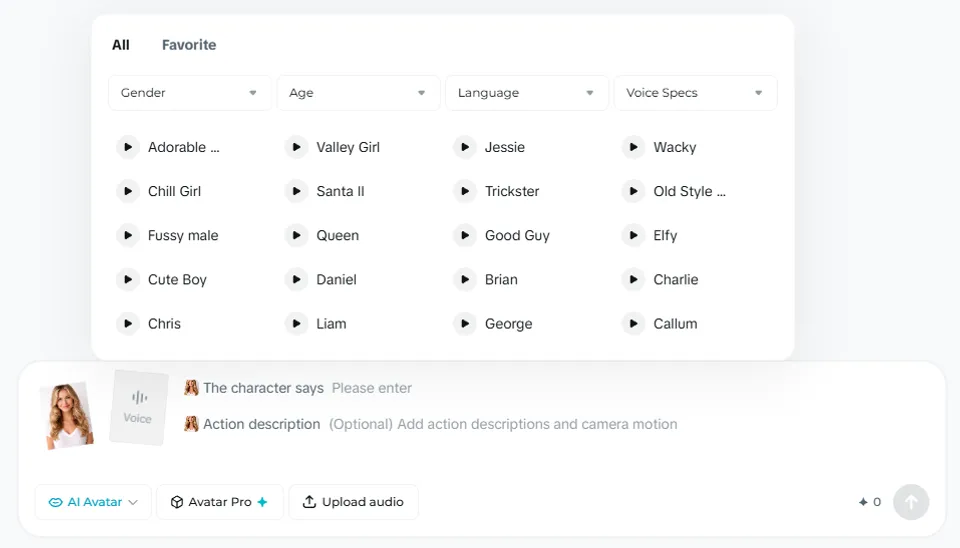
Tip: If Seedance defaults to the wrong language based on the character's appearance, explicitly specify the language in your prompt: "She speaks in English:" followed by the dialogue.
Avatar Use Cases
UGC / Influencer Content
Upload a person's photo and a product image. Seedance generates a realistic video of the person naturally talking about and demonstrating the product—applying cream, holding a device, tasting food. The result looks like authentic user-generated content, not AI-generated material.
Course and Training Videos
Create a talking-head presenter that delivers educational content in any supported language. You can change the script between generations while maintaining the same presenter identity.
Localized Marketing
Generate the same message with the same visual presenter but in different languages for each market. Character consistency means your brand spokesperson looks identical across all language versions.
Dramatic Scenes
Seedance 2.0's emotional understanding makes it capable of generating genuinely dramatic performances. Hospital bed scenes, survival scenarios, confrontations—the model handles subtle emotional transitions like breaking down in tears, forced smiles hiding pain, and fierce protective determination.
Animated Character Dialogue
Upload cartoon or anime character designs and give them spoken dialogue. Seedance maintains the art style while animating the character with natural lip movements and body language. Works with 2D cartoons, anime, and stylized designs.
Best Practices for Reference Photos
| Do | Don't |
|---|---|
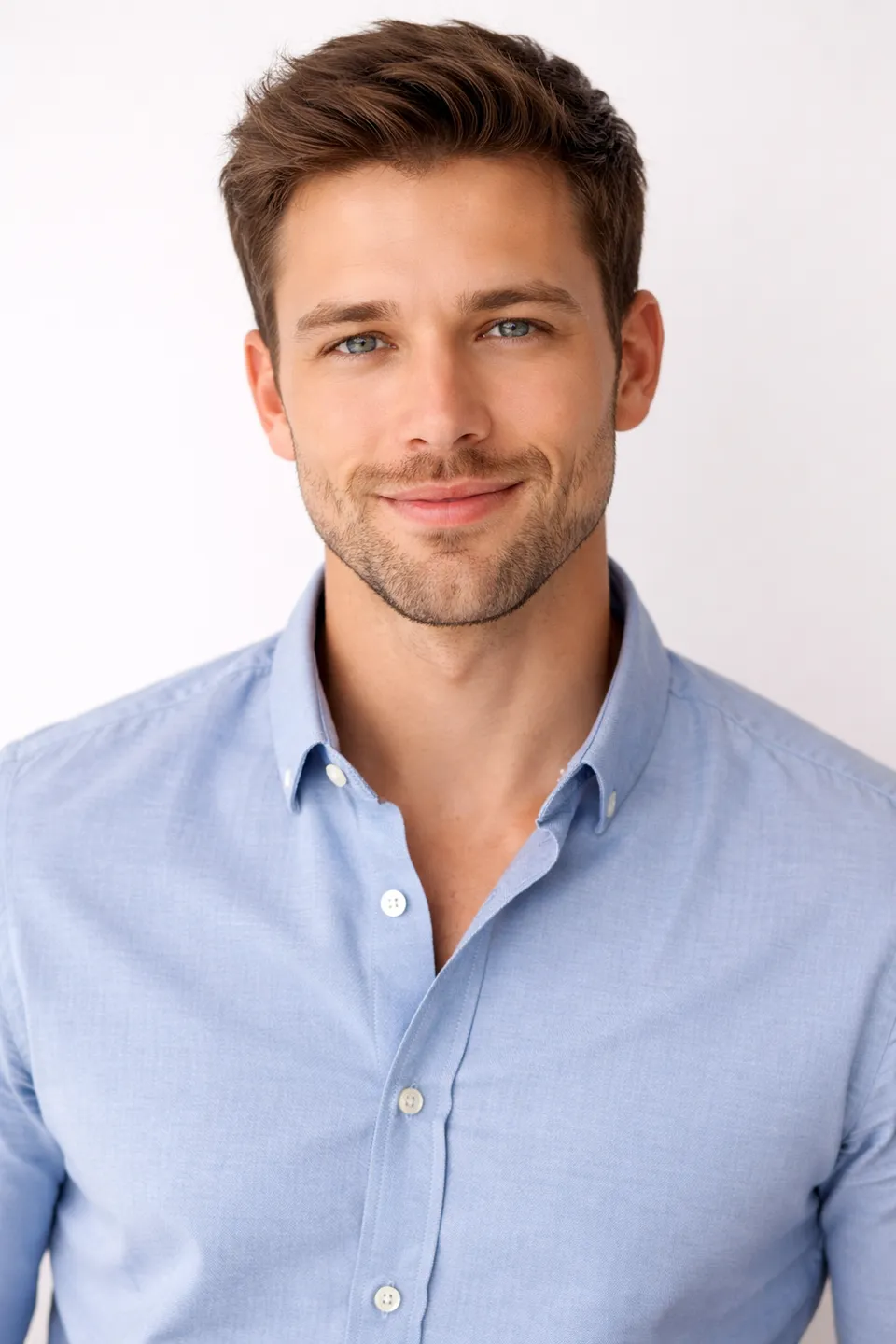
| Use high-resolution images (1024px+) | Use blurry or heavily compressed photos |
| Clear, even lighting on the face | Harsh shadows or extreme backlighting |
| Front-facing or slight angle | Extreme profile or overhead shots |
| Neutral or slight smile expression | Extreme expressions (wide open mouth) |
| Clean background or contextual setting | Cluttered backgrounds with multiple faces |
| Distinctive clothing/features | Generic appearance with no visual anchors |
Audio Control Tips
Since Seedance generates audio natively, you can influence the sound through prompt keywords:
- "whispers" — Soft, close-mic quality
- "shouts" / "yells" — High-energy, projected volume
- "voice trembling" — Emotional, uncertain delivery
- "calm and reassuring" — Steady, warm tone
- "sarcastic" — Tonal inflection changes
- "voice barely a whisper" — Extremely soft, intimate
For environment-specific audio effects (reverb, muffled sounds, echoes), see the audio keywords section in the Prompt Guide.
Safety and Restrictions
Seedance 2.0 includes safety guardrails to prevent misuse of avatar technology:
- Biometric filters block uploads of photorealistic human faces in certain contexts to prevent deepfakes
- Voice cloning from photos was suspended on launch day (February 10, 2026) after security researchers flagged the feature
- Live verification may be required—users record their own image and voice before creating digital avatars
- Generated content is subject to Dreamina's content policies and community guidelines
These restrictions are reasonable given the technology's potential for misuse. They don't affect legitimate use cases like branded presenters, fictional characters, or clearly AI-generated content.
A note from our testing: We've encountered repeated "inappropriate content" rejections when uploading perfectly normal photos of women as avatar references. A standard professional headshot of a female was rejected 3 times in a row with no clear reason, while a comparable male photo worked on the first try. This appears to be an overly aggressive content filter rather than a deliberate restriction—but it's frustrating and worth knowing about before you burn credits on failed generations.
Seedance 2.0 vs Dedicated Avatar Tools
| Feature | Seedance 2.0 | Traditional Avatar Tools |
|---|---|---|
| Body movement | Full body, contextual gestures | Usually head-and-shoulders only |
| Audio | Native generation, simultaneous | Separate TTS, overlaid in post |
| Emotions | Complex emotional range | Basic expression presets |
| Multi-character | Yes, in same generation | Separate renders, manual compositing |
| Languages | 8+ with accurate lip-sync | Varies, often limited |
| Physical interaction | Characters interact with objects, each other | Limited to facial animation |
What to Expect
Can I use any photo as an avatar reference?
You can use photos of real people, illustrated characters, anime designs, or stylized art. Seedance maintains whatever visual style your reference uses. Biometric safety filters may block certain photorealistic uploads in some contexts.
How accurate is the lip-sync?
It varies. The official demos show impressive results, but in our hands-on testing, the basic Lip Sync tool produced noticeably imperfect results—mouth movements that feel slightly off-sync, and facial expressions that don't quite match the emotional tone of the dialogue. Avatar Pro with the full Seedance 2.0 engine performs significantly better, but requires a paid plan. Set expectations accordingly: this is impressive for AI-generated content, but it won't fool anyone into thinking it's real filmed footage.
Can my avatar interact with products?
Yes. Upload a person photo and a product photo, and describe the interaction. Seedance generates the avatar naturally holding, using, or demonstrating the product. This is one of its strongest commercial applications.
What about full-body avatar videos?
Seedance 2.0 generates full-body movement—not just head-and-shoulders. Characters walk, gesture, fight, dance, and interact with their environment naturally.
Can two characters have a conversation?
Yes. Upload reference photos for each character and write dialogue for both. Seedance generates the conversation with distinct voices, natural turn-taking, and appropriate emotional responses.
Is commercial use allowed?
Commercial licensing requires a paid Dreamina plan. See the Pricing Guide for details on commercial terms.
How is this different from Dreamina's standalone AI Avatar tool?
Dreamina offers a dedicated AI Avatar / Lip Sync tool for basic talking-head videos. Seedance 2.0's approach uses the full video generation engine, producing more natural results with full-body movement, multi-character support, and native audio—but at higher computational cost.
For detailed prompt techniques and templates for avatar content, see the Prompt Guide. Compare Seedance's avatar capabilities with other models in our Seedance vs Sora 2 comparison.